
Scanning glossy certificates, diplomas, and important documents often leads to one frustrating problem—glare. Those bright white patches caused by reflections can ruin an otherwise perfect scan. The good news? With the right lighting, positioning, and scanning techniques, you can capture clean, glare-free, professional-quality digital copies using just your smartphone.
This updated anti-reflection guide explains why glare occurs, how to prepare your document, and the exact techniques that guarantee crisp, clear, and reflection-free results every time.
Why Glare Occurs When Scanning Glossy Documents
How Glossy Surfaces Create Reflections
Certificates and diplomas often use glossy or semi-gloss finishes to enhance durability and appearance. These coatings behave like small mirrors—when light hits them directly, it bounces straight into your camera lens, producing harsh glare.
Common Sources of Glare
The following everyday lighting conditions frequently create reflections during scanning:
- Direct sunlight falling on the document
- Bright LED or desk lamps facing the paper
- Phone flash enabled accidentally
- Holding your phone perfectly parallel to the page
- Overhead ceiling lights bouncing off glossy areas
Understanding the cause is the first step toward eliminating glare.
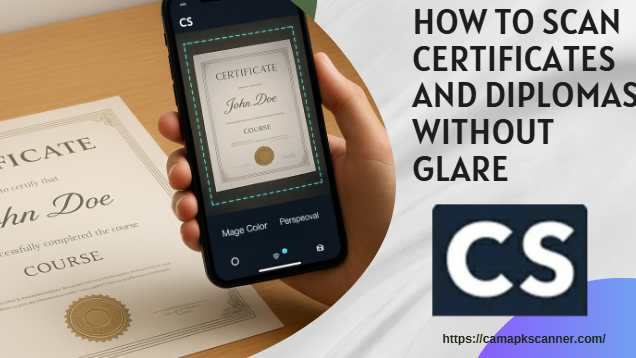
Preparation Steps Before Scanning
1. Clean the Document Surface
Dust, fingerprints, and smudges scatter light unpredictably. Use a soft microfiber cloth to gently wipe the surface before scanning.
2. Avoid Direct Light Sources
Turn off harsh overhead lighting and move away from windows where direct sunlight lands on the paper.
3. Use a Stable, Flat Background
A smooth background prevents the edges or surface of the document from curving, which often catches stray reflections.
Top Techniques to Scan Certificates and Diplomas Without Glare
Below are the most reliable anti-reflection methods to ensure glare-free scans every time.
Technique 1: Use Soft, Indirect Lighting
Position Lamps at a 45-Degree Angle
If using a table lamp:
- Place it to the side, not directly above the document
- Angle the light at roughly 45 degrees
This allows the reflected light to bounce away from your lens rather than back into it.
Diffuse Harsh Light
Soften strong light by placing a diffuser between the lamp and the document. Effective diffusers include:
- White cotton cloth
- Baking parchment
- Softbox or lampshade
Soft, diffused lighting significantly reduces hotspots and bright glare patches.
Technique 2: Use Natural Daylight Properly
Choose the Right Time of Day
Early morning or late afternoon light is naturally diffused, making it ideal for glare-free scanning.
Avoid Direct Window Light
Direct sunlight is the worst glare source. Instead:
- Position the document near a bright window
- Ensure the light is bright but shaded
This provides even illumination without reflections.
Technique 3: Professional Anti-Glare Tools for Frequent Scanning
If you regularly scan certificates, consider simple accessories that dramatically improve results.
Anti-Reflective Film
A thin matte film placed over the document disperses reflections without reducing clarity.
LED Lightboxes
Lightboxes illuminate documents from beneath, preventing surface reflections entirely. They are especially useful for scanning large sets of official papers.
Technique 4: Smartphone Techniques for Reflection-Free Scanning
Modern smartphones—and scanning apps—can produce exceptional results if you use them correctly.
Enable Built-In Anti-Glare Tools
Apps like CamScanner, Adobe Scan, and Microsoft Lens offer:
- Glare detection
- Bright spot correction
- Color and contrast enhancement
- Shadow removal
Always turn on these features before capturing your scan.
Tilt the Phone Slightly
Instead of holding your phone perfectly flat:
- Slightly tilt it forward or backward
This ensures the light bounces away from the lens rather than directly into it.
How CamScanner Helps Remove Glare Automatically
Advanced In-App Features
CamScanner offers several built-in enhancements that reduce or correct reflections:
- Smart glare reduction
- Auto-edge detection
- Perspective correction
- Image smoothing
- Magic Color enhancement for text clarity
Post-Scan Adjustments
After capturing the image, improve clarity by:
- Reducing brightness in overexposed spots
- Adjusting contrast
- Applying “Magic Color” mode
- Using filters to remove minor glare marks
This final step can turn an average scan into a professional-quality copy.
Best Practices for Scanning Important Certificates and Diplomas
Scan at High Resolution
For official documents, always use:
- Minimum: 300 DPI
- Optimal: 600 DPI
Higher resolution preserves fine details such as seals, embossing, and signatures.
Use OCR Only When Needed
Certificates often use decorative fonts that OCR may misinterpret. Only enable it if you specifically need digital text.
Create Digital Backups
Store your scans in multiple locations:
- Cloud drives (Google Drive, OneDrive)
- External hard drives
- USB storage
This protects you if the originals are damaged or lost.
Mistakes to Avoid When Scanning Glossy Documents
Avoid these common scanning errors:
- Using phone flash (guaranteed glare)
- Scanning under direct sunlight
- Pointing strong LED lights directly at the document
- Keeping the smartphone perfectly parallel to the page
Small adjustments prevent most glare problems.
Conclusion
Scanning glossy certificates and diplomas without glare is completely achievable—even with a smartphone. By using indirect lighting, tilting the camera, applying diffusers, and enabling anti-glare features in apps like CamScanner, you can produce sharp, clean, glare-free digital copies at home or in the office.
Whether you’re preparing documents for job applications, academic submissions, or long-term digital archiving, these anti-reflection techniques ensure your scans always look professional.
Frequently Asked Questions (FAQ)
1. What lighting works best for scanning glossy certificates?
Soft, diffused indoor lighting or indirect natural daylight works best.
2. Can glare be removed after scanning?
Yes. Modern scanning apps offer glare-reduction and brightness-correction tools that can fix minor reflections.
3. Is a smartphone good enough for high-quality scanning?
Absolutely—when paired with good lighting, proper angles, and a quality scanning app.
4. Are flatbed scanners better for preventing glare?
Flatbed scanners typically avoid glare, but smartphones give better flexibility and lighting control.
5. Can CamScanner automatically remove reflections?
Yes, CamScanner includes several anti-glare and image enhancement tools that significantly reduce reflections.