
Managing paperwork at home can quickly become chaotic—bills stack up, certificates get misplaced, and warranties disappear right when you need them most. Fortunately, modern tools like CamScanner make it possible to build a fully organized, secure, and searchable personal digital archive right from your smartphone.
This guide walks you through everything you need to know to digitize your home records efficiently and maintain a clutter-free, paperless lifestyle.
Why You Should Build a Digital Archive at Home
Eliminate Paper Clutter and Stress
Physical documents take up space, get lost, and are difficult to sort when needed. A digital archive removes these headaches by consolidating your essential files in one secure, easily accessible place.
Instant Access to Important Documents
Whether you need a warranty during repairs or a certificate for a job application, digitized records allow you to retrieve documents within seconds—anytime, anywhere.
Long-Term Preservation
Paper can fade, tear, or get damaged. Digital files remain intact and can be backed up indefinitely, ensuring your most valuable documents stay protected.
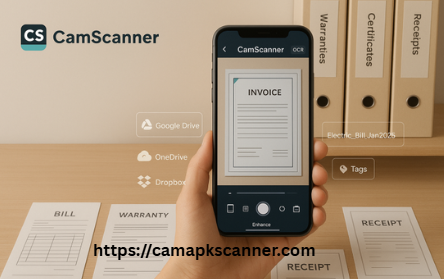
CamScanner: The All-in-One Mobile Tool for Home Document Digitization
What Makes CamScanner Ideal for Home Archiving?
CamScanner is a feature-rich mobile app designed specifically for scanning, enhancing, managing, and sharing documents. It transforms your smartphone into a compact, high-quality scanner perfect for home use.
Key Features of CamScanner for Personal Archiving
- Auto Crop & Enhancement
Automatically detects edges and improves clarity for clean, readable scans. - OCR (Optical Character Recognition)
Converts scanned images into editable and searchable text. - Cloud Storage Integration
Syncs your files directly to Google Drive, Dropbox, OneDrive, and more. - Effortless Sharing
Export files as PDFs or JPEGs and share through email or messaging apps instantly.
Which Home Documents Should You Digitize?
Not every piece of paper needs to be scanned. Focus on items that are valuable, frequently referenced, or difficult to replace.
Critical Documents to Digitize First
- Bills & Utility Records — Track monthly payments and due dates.
- Product Warranties & Receipts — Maintain proof of purchase for repairs or returns.
- Certificates & Personal Records — Preserve diplomas, birth certificates, and professional certifications.
Optional Documents Worth Scanning
- Tax-related receipts
- Personal letters
- Old photographs
These aren’t essential but digitizing them provides added convenience and backup.
Preparing Your Paperwork for High-Quality Scanning
Sort and Organize Before Scanning
Group your papers into categories such as:
- Personal documents
- Financial records
- Educational papers
- Medical files
This speeds up the scanning process and ensures your digital archive stays well-structured.
Handle Delicate Items Carefully
Flatten folds, remove staples, and gently clean dusty or fragile documents. Proper preparation leads to cleaner results and protects vulnerable papers from damage.
Step-by-Step Guide: How to Use CamScanner to Build Your Digital Archive
1. Install and Set Up the App
Download CamScanner on Android or iOS, create your account, and select your preferred default file format (PDF or JPEG).
2. Scan Your Documents the Right Way
- Use a flat, well-lit surface.
- Position your phone directly above the document.
- Allow auto-edge detection to frame the page.
- Ensure text is sharp and readable.
3. Enhance and Edit for Better Clarity
Adjust:
- Brightness
- Contrast
- Sharpness
Remove shadows and background noise using CamScanner’s built-in tools to produce crisp, professional-quality scans.
4. Save and Name Files Intelligently
Use clear, descriptive file names such as:
- Electric_Bill_January_2025.pdf
- Warranty_Samsung_TV.pdf
Consistent naming ensures faster search and retrieval later.
Organizing Your Digital File System for Easy Access
Create a Folder Structure That Works
Set up primary folders such as:
- Bills
- Warranties
- Certificates
- Receipts
Inside them, use subfolders (by year, month, or category) for better organization.
Use Tags and Labels for Quick Retrieval
CamScanner allows for custom tags like:
- Medical
- Urgent
- Tax
These tags act like shortcuts during searches, saving time when locating specific files.
Secure Your Digital Archive with Reliable Backup Methods
Cloud Backup Options
Services including Google Drive, Dropbox, and OneDrive automatically sync your scans, keeping them protected in case of device loss or damage.
Local Backup Solutions
Maintain additional copies on:
- External hard drives
- USB flash drives
- Secure storage boxes (fireproof/waterproof recommended)
Having multiple backups ensures long-term document safety.
Tips to Keep Your Digital Archive Clean and Up to Date
Perform Weekly Updates
Scan new documents consistently to prevent future clutter. Delete duplicates and outdated files during routine checks.
Protect Sensitive Files
Use built-in app security features such as:
- Password protection
- Encrypted cloud storage
- Private folders
This is especially important for IDs, banking documents, and certificates.
Benefits of Creating a Home Digital Archive
Convenience at Your Fingertips
Access every document instantly from your smartphone, tablet, or computer—ideal for emergencies or time-sensitive tasks.
Reduced Paper Clutter
Digitizing paperwork declutters your home, frees up storage space, and supports an eco-friendly lifestyle.
Common Mistakes to Avoid When Digitizing Documents
Using Vague File Names
Avoid names like “Scan1.pdf” or “Document123.jpeg.” These make organizing impossible.
Ignoring Backups
One device failure can wipe out all your scanned records. Always maintain cloud and local backups.
Conclusion
Building a personal digital archive with CamScanner is one of the simplest ways to organize your life, reduce clutter, and ensure your important records are always within reach. With proper file naming, smart folder organization, regular updates, and secure backups, you can transform document management from chaos into a seamless, stress-free experience.
Start today and embrace a smarter, paperless future.
Frequently Asked Questions
1. Is CamScanner free for personal use?
Yes. CamScanner offers a free version with essential features, while premium plans unlock advanced tools like enhanced OCR and additional cloud storage.
2. Can I combine multiple pages into one PDF?
Absolutely. CamScanner allows multi-page scanning and merging into single PDF files.
3. How secure is CamScanner?
You can enable password protection and use encrypted cloud services to keep your sensitive files safe.
4. Can I edit text from my scanned documents?
Yes. CamScanner’s OCR feature converts images into editable text that you can copy or modify.
5. What is the best way to categorize my documents?
Use broad folders (Bills, Warranties, Certificates) and create subfolders by year or category. Combine this with tags for fast searching.