
Running a home-based business is exciting, but it also comes with its fair share of administrative challenges—especially when paperwork starts piling up. From receipts and purchase records to customer orders and inventory tracking, staying organized is crucial for smooth operations.
This is where CamScanner becomes a powerful tool. Whether you run an Etsy shop, manage a home boutique, or operate a small online business, CamScanner can streamline your entire document workflow.
This comprehensive guide explains how home-based entrepreneurs can use CamScanner to stay organized, eliminate clutter, and grow their business with confidence.
Why Home-Based Businesses Need Digital Document Solutions
Home entrepreneurship has skyrocketed thanks to platforms like Amazon, Etsy, and Shopify. But rapid growth brings one major challenge: paperwork chaos.
Receipts get lost, order forms get mixed up, and inventory sheets often end up handwritten or incomplete.
Digital tools like CamScanner eliminate these issues by turning every business document into a searchable, easy-to-organize digital file. Imagine instantly finding any receipt or order with a quick search—no more digging through piles of paper.
What Is CamScanner? A Quick Overview
CamScanner transforms your smartphone into a high-quality document scanner. But it’s far more than a simple scanning app—it’s a full digital document management system.
You can:
- Scan documents in high resolution
- Convert images to PDF or JPEG
- Extract text using OCR
- Tag, categorize, and organize files
- Store everything securely in the cloud
- Share documents securely with customers or suppliers
For home-based businesses, this means every important piece of paper becomes part of a clean, searchable digital archive.
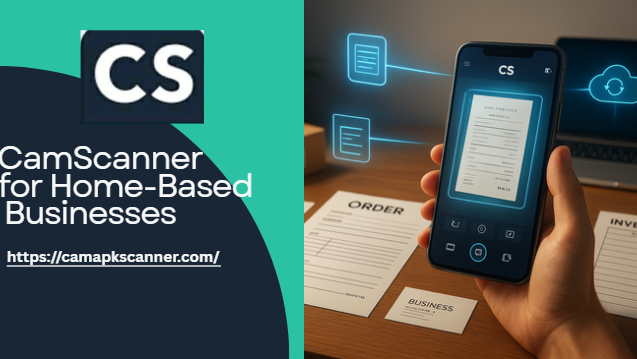
Key CamScanner Features That Benefit Home-Based Businesses
CamScanner offers multiple features that make it ideal for daily business tasks:
High-Quality Scanning
Auto-cropping and image enhancement ensure every document looks clean and professional.
OCR (Optical Character Recognition)
Convert printed or handwritten text into editable, searchable content—perfect for receipts and order forms.
Batch Scanning
Scan multiple receipts or pages in one go, saving valuable time.
Cloud Integration
Sync files to Google Drive, Dropbox, OneDrive, or CamScanner Cloud for easy access anywhere.
Secure File Sharing
Encrypted links and password-protected documents keep business info safe.
Together, these features help you reduce errors, speed up workflows, and maintain an organized digital office.
How CamScanner Outperforms Other Scanning Apps
While many scanning apps exist, CamScanner stands out due to its balance of power and simplicity.
Its OCR accuracy is among the best, especially with receipts and invoices. Features like annotation, collaboration tools, and advanced exporting options make it suitable even for growing businesses.
Even if you’re not tech-savvy, CamScanner’s clean interface ensures a smooth learning curve.
Receipt Management: Keeping Expense Tracking Effortless
Tracking receipts is essential for accurate bookkeeping—and for maximizing tax deductions.
CamScanner helps ensure no receipt is ever lost again.
Scanning Receipts from Purchases & Suppliers
Simply point your camera, and CamScanner:
- Auto-detects edges
- Enhances clarity
- Straightens and cleans the image
- Saves the file instantly
This reduces manual data entry and saves hours of bookkeeping work.
Organizing Digital Receipts for Accounting
Once scanned, receipts can be:
- Tagged (e.g., “supplies,” “shipping,” “office expenses”)
- Sorted by date or vendor
- Converted into PDFs or exported to Excel
- Synced with accounting tools
This makes monthly or yearly accounting far less stressful.
Order Management: Digitizing Customer Requests & Order Forms
A home-based business relies on fast and accurate order processing. CamScanner helps you keep all customer-related documents organized and instantly accessible.
Scanning Order Forms & Customer Notes
Instead of juggling loose papers, you can digitize:
- Order forms
- Customer instructions
- Purchase confirmations
- Handwritten notes
CamScanner’s OCR feature extracts key details—such as customer names, product quantities, and shipping info—making it easy to process orders efficiently.
Automating Order Documentation
With cloud auto-sync, your scanned orders are backed up and organized instantly.
During busy seasons, this ensures no order is overlooked or misplaced.
Inventory Management: Simplified Tracking for Home-Based Businesses
Inventory tracking can be overwhelming, especially for sellers with multiple product lines. CamScanner helps streamline the process by digitizing all inventory documents.
Digitizing Inventory Sheets
Scan inventory logs or product sheets and use OCR to extract:
- Item names
- Quantities
- Dates
- Stock levels
This dramatically speeds up your inventory updates.
Tracking Stock Levels More Efficiently
By keeping inventory sheets in cloud folders, you can:
- Check stock levels anytime
- Avoid running out of products
- Monitor low-stock items
- Share inventory updates with assistants or partners
Whether you’re at home or on the go, your inventory data is always within reach.
Security & Privacy: Protecting Your Business Documents
Handling sensitive business information requires strong security—something CamScanner takes seriously.
Protecting Sensitive Documents
You can add:
- Password protection
- Encrypted file sharing
- Watermarks
- Controlled access permissions
These features safeguard invoices, client information, receipts, and internal files.
Sharing Documents Securely with Clients & Suppliers
Send secure links or encrypted PDFs for:
- Receipts
- Purchase orders
- Quotes
- Invoices
This increases trust and maintains a professional image.
Integrations That Boost Productivity
CamScanner easily integrates with other apps to help you build a seamless business workflow.
Exporting to Accounting Software
You can export scanned documents directly to:
No more typing data manually.
Collaborating with Assistants or Team Members
If you work with virtual assistants or a small team, CamScanner makes it simple to share the latest scanned files instantly through the cloud.
Best Practices for Small Shops & Etsy Sellers
To get the most out of CamScanner, adopt a consistent workflow.
Creating a Smooth Scanning Routine
Set aside time daily or weekly to scan:
- New receipts
- Orders
- Inventory updates
Tag and categorize documents instantly to avoid backlog.
Tips for Quick and Clean Scans
- Use good lighting
- Place documents on a flat surface
- Enable auto-enhance
- Hold your phone steady
These tips help ensure crisp, readable results.
Mobile vs. Desktop Scanning: Which Is Better?
| Mobile Scanning | Desktop Scanning |
| Fast, convenient, perfect for daily use | Ideal for bulk scanning |
| Best for receipts & quick uploads | Great for archiving large documents |
| Always accessible | More powerful tools |
Many businesses use both for maximum efficiency.
Free vs Premium: What Should You Choose?
The free version is ideal for small operations.
However, the premium version offers:
- Batch OCR
- High-resolution exports
- Ad-free experience
- More cloud storage
Growing businesses often find the upgrade worthwhile.
Future of Document Scanning for Entrepreneurs
With AI-enhanced scanning, automatic categorization, and deeper e-commerce integrations on the rise, home-based businesses can expect even more automation and efficiency in the future.
Conclusion
CamScanner is more than a simple scanner—it’s a complete digital document management solution for home-based entrepreneurs.
From organizing receipts and processing orders to managing inventory and sharing documents securely, it helps business owners save time, reduce errors, and stay professionally organized.
For Etsy sellers, online shop owners, and home-based entrepreneurs, CamScanner is a powerful companion that supports growth and efficiency.
FAQs
1. Can CamScanner read handwritten receipts or notes?
Yes—CamScanner’s OCR can recognize many handwritten documents, though accuracy depends on handwriting clarity.
2. Is CamScanner secure for storing business information?
Absolutely. It offers encryption, password protection, and secure cloud storage.
3. Can I connect CamScanner with accounting software?
Yes, you can export documents to QuickBooks, Xero, Excel, and other accounting tools.
4. Are there limits in the free version?
Yes, the free version offers limited batch scanning and cloud storage. Premium removes these limits.
5. Can CamScanner help manage multiple product lines?
Yes—by digitizing inventory sheets and using tags or folders, you can track multiple product categories with ease.