
In the world of freelancing—where deadlines are tight, clients are diverse, and documentation is constant—efficient document management is no longer a luxury. It’s a necessity.
CamScanner, a powerful mobile scanning and document-management application, has become an essential tool for freelancers who need a fast, reliable, and organized way to handle client files, receipts, contracts, and more.
This revamped guide explores how freelancers can use CamScanner to streamline workflows, boost productivity, and maintain a professional edge.
Why Document Management Matters for Freelancers
The Unique Document Challenges Freelancers Face
Freelancers often juggle multiple projects, each requiring its own stream of documents—from contracts and invoices to approvals and reference files. Without a proper system, issues like the following can quickly arise:
- Misplaced contracts or invoices
- Disorganized receipts for tax and billing
- Delayed client sign-offs due to missing files
- Difficulty sharing large files securely
The High Cost of Disorganization
Poor document management isn’t just inconvenient—it directly impacts business. It can lead to:
- Payment delays
- Missed deadlines
- Legal disputes
- Loss of client trust
- Fewer repeat clients
A simple, reliable solution like CamScanner helps freelancers prevent these issues before they surface.
What Is CamScanner and Why Freelancers Rely on It?
A Multi-Purpose Mobile Scanning Solution
CamScanner transforms any smartphone into a portable, high-quality document scanner. But for freelancers, it acts as much more:
- A digital filing system
- A document editor
- A PDF creator
- A collaboration tool
- A secure document-sharing platform
With everything stored digitally, freelancers can access essential files anywhere, anytime.
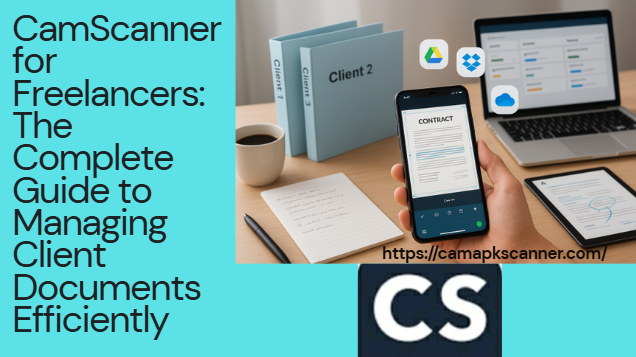
Getting Started with CamScanner (Beginner-Friendly Setup)
1. Downloading and Installing the App
CamScanner is available on both iOS and Android. Installation is quick, and account creation takes only a few seconds, making it accessible even for non-technical users.
2. Creating Your First High-Quality Scan
To scan:
- Open the app.
- Select the document type.
- Align the camera.
- Let CamScanner auto-detect edges and enhance clarity.
Freelancers can also combine multiple scans into a single, professional-looking PDF—perfect for proposals, reports, and multi-page contracts.
Essential CamScanner Features Every Freelancer Should Use
High-Resolution Scanning
CamScanner’s built-in enhancement tools ensure that even faded, handwritten, or wrinkled documents appear crisp and professional.
OCR (Optical Character Recognition)
OCR allows freelancers to:
- Convert scanned pages into editable text
- Extract client details quickly
- Search documents by text content
This is a huge time-saver for service providers who frequently work with text-heavy files.
Cloud Sync and Backup
CamScanner integrates with major cloud platforms such as:
- Google Drive
- OneDrive
- Dropbox
- Box
This prevents file loss and ensures secure access across all devices.
Editing, Annotating & Signing Documents
Inside the app, freelancers can:
- Highlight text
- Add notes
- Insert signatures
- Crop or color-correct pages
No need for third-party PDF editors.
How Freelancers Can Organize Client Documents Effectively
Client-Specific Folders
Keep everything in order by dedicating separate folders for:
- Each client
- Each project
- Each service type
This helps avoid confusion when managing multiple contracts at once.
Smart Tagging & Categorization
Use tags such as:
- Invoice
- Proposal
- Receipt
- Contract
- Tax Document
Tags make searching lightning-fast—even when managing hundreds of files.
Version Control Made Simple
CamScanner allows multiple file versions so freelancers can track revisions of:
- Updated contracts
- Revised proposals
- Client-approved drafts
This prevents mix-ups and ensures clarity for future reference.
Securely Sharing Documents With Clients
Password-Protected Files
Protect sensitive client information by enabling document passwords.
Professional Watermarking
Add custom watermarks to maintain ownership and prevent unauthorized reuse.
Email & Cloud-Based Sharing
Share files instantly through:
- Links
- Shared cloud folders
This reduces friction during approvals and keeps communication smooth.
CamScanner Tips for Freelancers Working Remotely or On the Go
Mobile Scanning Anywhere
Working from:
- Cafés
- Co-working spaces
- Client offices
- While traveling
Simply snap the document and convert it into a clean PDF within seconds.
Offline Scanning Mode
No internet? No problem.
CamScanner saves your scans and automatically syncs them once you’re back online.
Boost Productivity by Integrating CamScanner With Other Tools
Connect With Project Management Platforms
Export and link documents to:
- Trello
- Asana
- Notion
This helps freelancers track deliverables and due dates without switching apps constantly.
Link With Cloud Storage Services
Create automated workflows by combining CamScanner with:
- Google Drive
- Microsoft OneDrive
- Dropbox
This keeps all shared client folders updated in real time.
Freelancer Case Study: Real-World Results
Freelancers across different industries have achieved measurable improvements:
- A business consultant reduced file retrieval time by 60% after setting up organized folders.
- A graphic designer used OCR to extract client instructions and saved hours each week.
- A content writer used CamScanner’s annotation tools to collaborate smoothly with clients on draft revisions.
These examples demonstrate how powerful document management can elevate your entire workflow.
Conclusion: Why CamScanner Is a Must-Have Tool for Freelancers
Freelancers rely on speed, organization, and professionalism to stand out.
CamScanner offers an all-in-one solution that helps you:
- Scan documents with high accuracy
- Organize client files seamlessly
- Securely share important documents
- Work efficiently from anywhere
- Reduce administrative stress
By integrating CamScanner into your daily workflow, you can spend more time focusing on quality work—and less time chasing paperwork.
FAQs
1. Can CamScanner scan handwritten notes?
Yes. The app scans handwritten notes clearly, and OCR can sometimes convert neat handwriting into editable text.
2. Is CamScanner free to use?
Yes. The free version offers essential features, while premium plans include advanced OCR, more storage, and additional tools.
3. Can I use CamScanner offline?
Absolutely. You can scan files offline and they’ll sync automatically when you reconnect to the internet.
4. Is document sharing secure?
CamScanner supports encrypted sharing, passwords, and watermarks to protect sensitive client information.
5. Does CamScanner integrate with other productivity tools?
Yes. It integrates with cloud storage services and project management tools for a smooth, optimized workflow.