
Introduction: The Future of Mobile Document Management in Accounting
In a fast-moving financial landscape, accountants manage a steady stream of documents—from receipts and invoices to audit files and tax papers. Handling these materials manually is time-consuming and increases the risk of errors or misplaced information.
This is where CamScanner becomes a powerful ally. As a leading mobile scanning app, it enables accountants to digitize, organize, and access financial documents anytime, anywhere—making year-round financial management more efficient than ever.
Why Accountants Need Mobile Scanning Tools
The Paperless Accounting Revolution
Businesses are rapidly transitioning toward digital workflows, and accounting professionals are at the forefront of this shift. A paperless system eliminates clutter, improves organization, and allows instant access to records. Instead of digging through folders or binders, accountants can locate any document with a single tap.
The Problems With Traditional Document Storage
Filing cabinets, overflowing envelopes of receipts, and fragile printed statements can be easily lost, damaged, or disorganized. This becomes especially problematic during audits or tax season.
With digital tools like CamScanner, accountants maintain clean, searchable, and editable versions of every record—minimizing stress and maximizing efficiency.
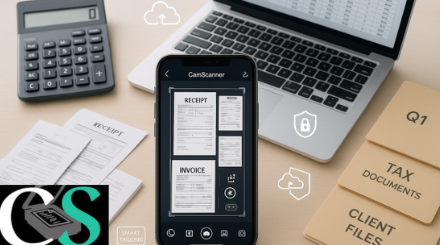
Understanding CamScanner’s Essential Features for Accounting
High-Quality Scanning for Financial Documents
CamScanner’s intelligent auto-cropping and enhancement tools transform even faded or wrinkled documents into crisp digital scans. This clarity is essential for reading totals, tax values, dates, and small-font financial data.
OCR (Optical Character Recognition) for Editable Text
OCR is a game changer in accounting. CamScanner converts scanned images into searchable and editable text, allowing accountants to extract financial numbers, vendor names, or invoice details without retyping them manually.
Cloud Sync Across All Devices
Whether reviewing files during an audit or verifying receipts during travel, cloud sync ensures accountants can access their documents from any device, at any time.
Batch Scanning for High-Volume Records
Accountants often need to scan dozens of receipts, monthly statements, or client documents. Batch scanning speeds up the process and groups files neatly for faster organization.
How CamScanner Helps Accountants Stay Organized Year-Round
Efficient Client-Wise Document Categorization
Accountants can create dedicated folders for each client, storing invoices, contracts, receipts, and financial statements in structured, easy-to-navigate collections.
Managing Monthly, Quarterly, and Annual Statements
Instead of shuffling through paper folders, CamScanner allows accountants to categorize statements by time period, making historical reviews simple and error-free.
Instant Document Access During Audits
Audits require quick access to supporting documents. With OCR-powered search, accountants can instantly locate documents by keywords, dates, vendor names, or amounts—saving valuable time under pressure.
Managing Receipts, Invoices & Expense Reports With CamScanner
Auto-Enhancement for Clear, Accurate Receipts
Even faded, crumpled, or poorly printed receipts become clear and legible with CamScanner’s smart enhancement. This reduces data entry mistakes and improves bookkeeping accuracy.
Using Tags and Folders for Quick Retrieval
Tags like “travel expenses,” “utilities,” “Q4 invoice,” or “office supplies” help accountants retrieve documents from large archives in seconds.
Using CamScanner for Tax Season Preparation
Easier Client Document Collection
During tax season, clients can scan and send files directly through CamScanner, ensuring accountants receive documents in a clean and consistent format.
Tracking Deductible Expenses Throughout the Year
Instead of sorting piles of receipts at year-end, accountants can scan and categorize deductible items as they occur—making tax preparation smoother and faster.
OCR Searchability Ensures Accurate Tax Filing
Searching for terms like interest, insurance, donation, or education becomes effortless, helping accountants avoid missed deductions or errors.
Collaboration & Client Communication With CamScanner
Secure Sharing for Client Files
Accountants can share scanned files through password-protected PDFs or secure links, keeping sensitive financial data safe while collaborating with clients.
Annotations for Notes and Clarifications
Accountants can highlight key figures, write notes, or flag questionable entries directly on documents—making communication clear and professional.
Multiple Export Formats for Different Needs
CamScanner supports exporting to PDF, JPG, and Word, ensuring compatibility with bookkeeping software, financial platforms, and client reviews.
Security and Compliance Advantages for Accountants
Data Encryption & Password Protection
Financial documents require the highest level of protection. CamScanner includes encryption, password locking, and secure sharing options to safeguard sensitive information.
Cloud Backup Prevents Data Loss
If a device is lost or damaged, cloud backups ensure all financial documents remain safe and accessible.
Productivity Tips for Accountants Using CamScanner
Create Consistent Naming Conventions
Use formats like:
ClientName_Invoice_Jan2025
This ensures uniformity and simplifies file searches.
Use OCR Tags for Financial Keywords
Tags such as tax, audit, payroll, loan, expense improve retrieval speed during reviews or audits.
Back Up Scans to External Cloud Drives
Syncing with Google Drive, OneDrive, or Dropbox provides extra security and easier cross-platform access.
Conclusion
CamScanner has become a must-have tool for accountants aiming to streamline document management. With its high-precision scanning, powerful OCR capabilities, secure cloud access, and advanced organizational features, it simplifies everything from tax preparation to audit readiness.
As the accounting world embraces digital transformation, tools like CamScanner ensure that financial professionals stay organized, efficient, and fully prepared year-round.
FAQs
1. Is CamScanner secure enough for financial documents?
Yes. It includes encryption, password protection, and secure file-sharing features.
2. Can I export documents to accounting software?
Absolutely. You can export in PDF, JPG, and Word—formats accepted by most accounting tools.
3. Does CamScanner sync across mobile and desktop?
Yes. With cloud storage enabled, files appear on all connected devices.
4. Can CamScanner scan multiple receipts at once?
Yes. The batch scanning feature is perfect for large volumes of financial documents.
5. Is CamScanner helpful during tax season?
Definitely. It allows accountants to track, categorize, and search tax-related documents effortlessly.
If you’d like, I can also:
✅ create a featured image prompt,
✅ format this as a Google-friendly blog post,
✅ add SEO keywords, meta description, or schema markup.