
Introduction: Why HR Teams Need Mobile Scanning More Than Ever
Modern HR departments must process information faster than ever—without compromising accuracy, confidentiality, or compliance. With hybrid and remote hiring becoming the norm, recruiters now meet candidates everywhere: job fairs, coworking spaces, campuses, and even coffee shops. As a result, physical resumes, ID copies, signed forms, and onboarding documents continue to arrive in mixed formats.
CamScanner offers a simple yet powerful way for HR teams to digitize these materials instantly. This guide explains how HR can use CamScanner to streamline recruitment workflows, secure sensitive files, accelerate onboarding, and establish reliable document-governance practices that reduce operational risk.
Benefits of Digitizing Recruitment Workflows
Faster Candidate Intake and Processing
When recruiters can scan resumes or IDs on the spot and immediately send them to an ATS or shared repository, processing times shrink significantly. This rapid flow allows hiring managers to review complete candidate profiles within minutes instead of days—eliminating manual data entry and accelerating interview scheduling.
Higher Data Accuracy and Searchability
CamScanner’s built-in OCR (Optical Character Recognition) transforms images into searchable digital text. This means HR can extract critical details—names, emails, certifications, skills, and keywords—and store them as metadata. The result is faster search, smarter candidate filtering, and more accurate talent matching.
Better Compliance and Record Management
Digitized files strengthen HR compliance practices. Searchable PDFs, version control, and access logs create tamper-evident records for audits and legal reviews. HR can also enforce retention schedules consistently and prove who accessed or modified a document—essential for GDPR and employment-law compliance.
Core HR Documents to Digitize with CamScanner
Resumes and Cover Letters
Scan printed or handwritten resumes immediately upon receipt. An OCR-enabled PDF ensures all keywords are searchable, improving both sourcing and compliance with documentation policies.
Identity Documents: IDs, Passports, Work Visas
High-resolution scans preserve fine details such as expiry dates and document numbers. These files are essential for right-to-work checks and identity verification—but must be stored securely with strict access controls.
Employment Contracts and HR Forms
Signed contracts, NDAs, and tax forms should be scanned as soon as they are completed. This ensures a complete digital record is created instantly and stored in the employee’s official file.
Onboarding Documents
Medical forms, benefits enrollment sheets, and direct-deposit information can be digitized at orientation. This speeds payroll setup and ensures documents are immediately accessible for HR and payroll teams.
Background Check Authorizations
Because consent forms contain sensitive personal information, digitizing them promptly and storing them securely reduces the risk of misplacement or unauthorized access.
How HR Teams Can Use CamScanner: A Practical Step-by-Step Guide
1. Capture Documents with Best Practices
- Use consistent lighting—prefer bright, indirect natural light.
- Place documents on a flat, contrasting background.
- Hold the camera parallel to the page to avoid distortion.
- Use multipage mode for multi-page resumes or contract sets.
- Enable auto-enhance to improve readability.
2. Apply OCR and Add Metadata
After scanning:
- Run OCR to make text searchable.
- Tag documents with standardized metadata:
- Candidate name
- Job title
- Requisition number
- Document type
- Date
- Use a controlled vocabulary like:
Candidate > Sales > Req2025-001
3. Choose the Right File Formats
- Use searchable PDF for all long-term HR records.
- Use JPEG/PNG only when image quality is critical (e.g., ID photos).
- Export files directly to your secure HR cloud repository via encrypted transfer.
Integrating CamScanner With HR Systems
ATS / HRIS Integration
Many ATS and HRIS platforms support direct uploads or can integrate via middleware. Once configured, scanned PDFs can automatically attach to candidate profiles—keeping the hiring workflow clean, centralized, and duplicate-free.
Cloud Storage, Permissions & Access Controls
Store scanned documents in enterprise systems like Google Workspace, Microsoft 365, or a dedicated HR document repository. Make sure to apply:
- Role-based access controls (RBAC)
- Folder-level permissions
- Retention and deletion policies
- Multi-factor authentication
Security, Privacy & Legal Compliance for HR Document Scanning
Encrypted Storage and Secure Transmission
Always enable:
- Encryption during transfer (TLS/HTTPS)
- Device-level encryption
- Secure cloud storage settings
This prevents unauthorized access even if a phone is lost or stolen.
Role-Based Access and Audit Logs
Limit visibility based on HR roles. Audit logs should capture:
- Who viewed a file
- Who modified it
- When accesses occurred
Auditability is critical for demonstrating compliance during internal or external reviews.
GDPR, Local Labor Laws & Retention Rules
HR must follow:
- GDPR’s lawful-basis requirements
- Local hiring documentation laws
- Mandatory retention/destruction schedules
Ensure candidate forms include clear consent language for digital storage and processing.
Policies & SOPs HR Should Establish for Mobile Scanning
Define Who Can Scan and Access Documents
Specify which HR roles are authorized. If personal devices are used:
- Require mobile device management (MDM)
- Enforce encryption and remote wipe
- Prevent saving to local galleries
Create Standard Naming Conventions
Use a predictable, searchable format, such as:
2025-01-14_Khan_Ayesha_Designer_Req154.pdf
Establish a Logical Folder Structure
Example:
Recruitment / 2025 / Req154 / Candidate Documents
This ensures consistency, fast retrieval, and clean audit trails.
Common Challenges and Solutions
Low-Quality Scans
Solution: Train staff in capture best practices, use auto-enhance, and re-scan documents when OCR confidence is low. Include a quick quality check step before files enter the ATS.
Missing Metadata or Misfiled Documents
Solution: Require mandatory metadata fields. Use dropdowns and automated validation. Enable automatic backups to prevent data loss.
Staff Resistance to Digital Tools
Solution: Provide short training sessions, visual guides, and show measurable time savings. Demonstrating practical benefits drives adoption.
Case Study: A Sample End-to-End Recruitment Flow Using CamScanner
- A candidate hands in a printed resume at a job fair.
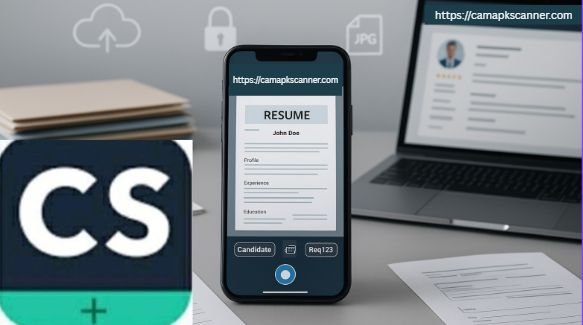
- The recruiter scans the resume and ID in CamScanner, runs OCR, and tags them with Req123.
- The PDF automatically uploads to the ATS via a cloud connector.
- The hiring manager accesses the digital profile immediately.
- After acceptance, the recruiter scans the signed contract and adds it to the employee file.
- Audit logs record every access and change, ensuring compliance.
This process eliminates paper handling, reduces manual data entry, and accelerates decision-making.
HR Mobile Scanning Best Practices Checklist
✔ Policy & Governance
Define permissions, retention timelines, and compliant data-handling rules.
✔ Device & App Management
Use MDM, enforce device encryption, and require strong authentication.
✔ Consistent Metadata Scheme
Use standardized tags and naming conventions.
✔ System Integrations
Connect CamScanner with ATS/HRIS to prevent duplicate uploads.
✔ Training & Quality Assurance
Provide quick training sessions and enforce quality checks.
✔ Data Protection
Apply encryption, least-privilege access, and reliable audit logging.
Conclusion
CamScanner is a practical, high-impact tool that helps HR departments modernize recruitment, reduce manual tasks, and improve compliance. By standardizing capture methods, enforcing metadata practices, securing storage, and training staff, HR teams can turn outdated paper-based workflows into streamlined, auditable, and highly efficient digital systems.
The result is faster hiring decisions, better candidate experiences, and a stronger compliance posture—making digitization not just an operational improvement, but a strategic HR advantage.
FAQs
Q1: Is it legal to scan and store IDs digitally?
Yes, but legality varies by jurisdiction. Always obtain consent, define a lawful basis for storage, and secure documents with encryption and access controls.
Q2: How accurate is CamScanner’s OCR for resumes?
OCR works well for cleanly printed text but may struggle with handwriting or complex layouts. Always perform a quick quality check after scanning.
Q3: Can recruiters use personal phones for scanning?
It’s not recommended. If they must, implement MDM, device encryption, strong authentication, and remote wipe capabilities.
Q4: Which file format should HR use for scanned documents?
Searchable PDF is the gold standard for long-term HR records. Use JPEG/PNG only when high-fidelity images are required.
Q5: How do we integrate scanned files with our ATS?
Use built-in ATS upload tools, APIs, or middleware connectors. Automation ensures files attach directly to candidate profiles without manual steps.