
Managing events is a high-pressure, detail-heavy job—one where misplaced paperwork or slow approvals can derail weeks of careful planning. From weddings and galas to corporate retreats and large-scale festivals, event planners juggle countless documents: vendor contracts, invoices, permits, layouts, and timelines.
CamScanner has become a game-changing solution for event professionals who want to streamline operations, digitize their paperwork, and stay organized from the first consultation to the final event wrap-up. This guide explains how event planners can use CamScanner to simplify document management, boost productivity, and maintain complete control over every detail.
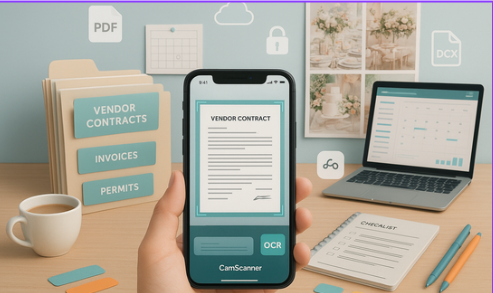
Why Event Planners Need a Digital Document Workflow
Speed, Accuracy & Efficiency in a Fast-Moving Industry
Event planning is time-sensitive. A single missing contract or delayed approval can disrupt the entire planning timeline. Going digital ensures:
- Instant access to key documents
- Faster vendor communication
- Reduced risk of errors or version mismatches
- A clutter-free, searchable record of all agreements
CamScanner allows planners to replace paper chaos with a clean, secure, and highly efficient document workflow that works anywhere, anytime.
Challenges of Paper-Based Event Management
Misplaced Contracts & Avoidable Delays
Physical paperwork gets lost, damaged, or filed incorrectly. When a vendor calls and you can’t find their agreement, critical decisions and payments get delayed. Digitized documents prevent these bottlenecks.
Inefficient Vendor Communication
Emailing PDFs back and forth creates version confusion. Vendors may sign the wrong draft or miss changes. Digital scans with centralized access eliminate these frustrations.
Risk of Damage or Data Loss
Paper documents are vulnerable to spills, tears, and accidents. With cloud-backed CamScanner files, important contracts stay protected and accessible at all times.
Getting Started with CamScanner
Easy Installation Across Devices
CamScanner works on both iOS and Android devices with a simple setup: download, create an account, and start scanning instantly—no technical expertise required.
Organizing by Event-Specific Folders
Create structured folders such as:
- “Smith Wedding 2025”
- “Q3 Corporate Gala”
- “Summer Festival Vendor Docs”
Add subfolders for Contracts, Invoices, Permits, or Vendor Categories for clean organization.
Smart Naming Conventions
Clear naming saves hours later. Example:
2025-11-21_Catering_Contract_SmithWedding.pdf
This makes files searchable by date, vendor, or event name.
Digitizing Contracts & Vendor Documents
Scanning Best Practices for Clean Results
- Place the document on a flat, bright surface.
- Open CamScanner and select “Scan.”
- Align and capture the page.
- Use auto-crop + enhancement filters for clarity.
- Save using your chosen naming convention.
Using OCR for Searchable Text
CamScanner’s OCR (Optical Character Recognition) converts text in scanned images into searchable content. This helps planners quickly locate:
- Vendor names
- Event dates
- Contract clauses
- Payment terms
Efficient Handling of Multi-Page Agreements
For lengthy vendor contracts, use batch scanning to capture all pages in one session and save as a unified PDF.
Workflow Automation for Event Professionals
Tagging, Categorizing & Color-Coding
Tag files by:
- Type: Invoice, Contract, Permit
- Status: Pending, Approved, Paid
Color-coded systems help prioritize urgent documents at a glance.
Connecting CamScanner with Event Management Tools
Export to cloud folders connected to:
- Trello
- Asana
- Monday.com
- Notion
This ensures your entire team has synchronized access to updated documents.
Instant Multi-Device Access
Whether you’re on-site, in transit, or in a client meeting, CamScanner provides real-time access from:
- Smartphone
- Tablet
- Laptop
No more digging through bags or binders.
Protecting Vendor Contracts & Confidential Documents
Password Protection & Encryption
Event documents often contain sensitive information, including rates, terms, and personal details. CamScanner supports:
- Passcode-protected PDFs
- Encrypted file sharing
- Secure storage
Cloud Backup for Data Safety
Upload files directly to:
- Google Drive
- Dropbox
- OneDrive
This ensures no data is lost due to file corruption, device issues, or accidental deletion.
Legal Validity of Digital Contracts
Digital versions of contracts are legally recognized in most regions—especially when combined with e-signatures. Always verify local regulations to ensure compliance.
Sharing Documents with Vendors & Stakeholders
Fast Approvals with E-Signatures
Instead of printing, signing, and rescanning documents, simply share them digitally for quick electronic signatures. This accelerates approvals dramatically.
Eliminating Email Overload
Share documents via secure links instead of multiple email attachments. This removes version conflicts and keeps everyone aligned.
Real-Time Collaboration on Updates
Event changes often happen last-minute. Digital contracts make it easy for vendors and clients to see updated documents immediately—no misunderstandings, no delays.
Real-Life Use Cases
Wedding Planning: Smooth Vendor Coordination
A wedding planner handling 15+ vendors used CamScanner to manage:
- Seating charts
- Contracts
- Invoices
- Permits
Tags and OCR enabled instant document retrieval on the wedding day.
Corporate Events: Multi-Vendor Synchronization
A corporate event manager used CamScanner to share contracts with AV teams, caterers, and security vendors. This cut administrative time by 50% and reduced email clutter by 70%.
Festivals & Large Events: Managing Hundreds of Files
Festival organizers maintained permits, sponsorship agreements, and vendor contracts in CamScanner, using OCR to avoid missing deadlines and compliance requirements.
Pro Tips to Maximize CamScanner Efficiency
Batch Scanning & Batch Editing
Capture multiple pages at once and perform edits (crop, enhance, rotate) in a single workflow.
Use OCR & Tags for Instant Retrieval
Search for keywords like:
- “Payment terms”
- “Event date”
- “Deposit”
- “Cancellation policy”
Integrate with Calendar & Reminder Apps
Link invoice due dates or approval deadlines to your calendar app for automatic reminders.
Common Mistakes to Avoid
- Scanning documents in poor lighting
- Using inconsistent naming conventions
- Skipping cloud backup
- Forgetting to apply passwords to sensitive files
- Overcomplicating your folder structure
Simple systems work best.
Conclusion: A Smarter Way to Manage Event Documents
CamScanner is far more than a simple document-scanning app—it’s a powerful organizational tool that gives event planners complete control over their contracts, invoices, and vendor documents. By digitizing your workflow, you save time, reduce errors, and improve communication with clients and vendors.
For weddings, corporate events, or large-scale festivals, CamScanner ensures your documents are secure, searchable, and instantly accessible—helping you deliver exceptional events with confidence and ease.
FAQs
1. Can CamScanner handle large volumes of documents?
Yes. With batch scanning and folder organization, CamScanner can efficiently manage hundreds of files.
2. Are digital contracts legally valid?
Yes. In most regions, digital scans combined with e-signatures are legally recognized.
3. Can I edit scans after saving?
Absolutely—CamScanner allows cropping, annotating, rotating, and enhancing saved scans.
4. Is CamScanner safe for sensitive contracts?
Yes. Password protection, encryption, and secure cloud backup enhance file security.
5. Can team members access shared documents?
Yes. Cloud syncing allows multiple users to view and collaborate in real time.
6. Does CamScanner work with event management software?
While not directly integrated, files can be uploaded to Trello, Asana, Monday.com, and similar tools.
7. Can I track payment deadlines with CamScanner?
Yes—use tags and link due dates to calendar reminders.
8. How do I scan multi-page vendor agreements?
Use batch scanning to save the entire contract as one searchable PDF.
9. Does CamScanner help reduce email overload?
Yes. Share secure links instead of sending multiple attachments.
10. Is CamScanner suitable for large events with multiple vendors?
Definitely. Its tagging, folder organization, and OCR features make it ideal for complex events.