
Introduction: The Modern Shift in Document Scanning
Document scanning has evolved dramatically over the past few decades. What once required bulky, power-hungry hardware can now be done instantly through mobile apps. As individuals, freelancers, and businesses adapt to digital workflows, a key question emerges: Is a dedicated hardware scanner still worth the investment, or do mobile scanning apps like CamScanner offer a better long-term value?
This detailed comparison breaks down the costs, efficiency, maintenance, security, and long-term benefits of both scanning methods to help you determine the most cost-effective solution for your needs.
The Evolution of Document Scanning Technology
From Flatbed Machines to Smartphone Scanning
Back in the 1990s and early 2000s, scanners were large, expensive devices that took up significant desk space. Businesses depended heavily on hardware scanners to digitize paperwork, which required ongoing maintenance and setup.
The rise of smartphones transformed the landscape. Mobile scanning apps brought portability, automation, and affordability, making high-quality scanning accessible to everyone.
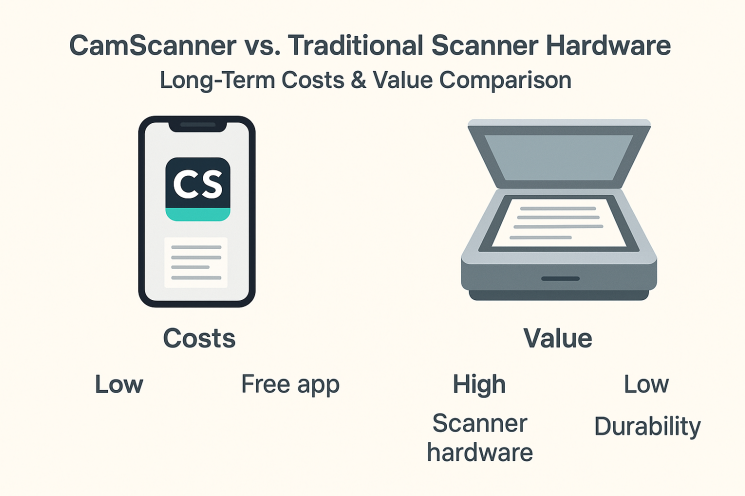
Traditional Scanner Hardware: Costs and Functionality
Types of Traditional Scanners
Flatbed Scanners
Flatbed scanners offer exceptional quality but require manual placement of each page. They’re best for:
- Photos
- Fragile documents
- Occasional scanning
Sheet-Fed Scanners
Designed for speed and volume, these scanners can handle multiple pages automatically, making them ideal for:
- Offices
- High-volume tasks
- Legal or corporate workflows
Multifunction Printers (MFPs)
These devices combine printing, scanning, copying, and sometimes faxing. Their convenience comes at a much higher initial cost.
Upfront Hardware Cost Breakdown
Traditional scanner prices vary widely:
- Basic home scanners: $100–$200
- Mid-range office scanners: $300–$700
- High-speed commercial scanners: $1,000+
- Multifunction machines: $1,500–$2,500+
For small businesses or freelancers, this investment can be substantial, especially when combined with accessories or setup costs.
Maintenance, Repairs & Ongoing Costs
Hardware scanners require recurring expenses such as:
- Roller replacements
- Servicing and mechanical repairs
- Software/drivers updates
- Occasional parts replacement
Annual maintenance alone can easily cost $150–$300, while major repairs may add several hundred dollars more over time.
Mobile Scanning Apps: The Rise of CamScanner
What CamScanner and Similar Apps Offer
Mobile scanning apps like CamScanner allow users to:
- Scan documents instantly
- Auto-crop and auto-enhance images
- Extract text via OCR
- Save files to the cloud
- Share documents in seconds
They turn a smartphone into a portable scanner—no hardware required.
Free vs Premium Subscription Models
CamScanner provides:
- Free version: Basic scanning, watermarks, limited features
- Premium version: HD scans, watermark removal, OCR, cloud sync, collaboration tools
Typical pricing:
- Monthly: $4.99–$9.99
- Yearly: $49–$60
Hidden or Additional App Costs
While affordable, mobile scanning apps may include recurring expenses:
- Cloud storage upgrades
- Team collaboration features
- Secure backup services
Over several years, these subscriptions can accumulate into significant costs—though still typically lower than hardware scanners.
5-Year Cost Comparison: Hardware vs CamScanner
Upfront Investment Comparison
- Hardware scanner: ~$500 for a mid-range model
- CamScanner Premium: ~$60/year → $300 over 5 years
When comparing just initial costs, mobile apps clearly provide a lower barrier to entry.
Recurring Costs & Maintenance
Traditional Scanners
Ongoing expenses may include:
- Maintenance: $200–$500 across five years
- Repairs or part replacements
- Potential hardware upgrade
Mobile Apps
- Predictable subscription fees
- No physical repairs
- No downtime for servicing
Overall, mobile scanning remains cheaper for low- to medium-volume users.
Productivity & Efficiency: Which Is Better?
Speed and Convenience of Mobile Apps
Mobile scanning apps offer:
- Instant access
- On-the-go scanning
- Quick editing and sharing
- Simplified workflows for remote employees
For individuals and mobile workers, the flexibility is unmatched.
Volume Scanning in Offices
High-volume environments—such as corporate departments, educational institutions, or law firms—still depend on hardware scanners because:
- They scan hundreds of pages per hour
- They offer bulk document feeders
- They reduce manual effort
Mobile apps simply cannot match industrial-level throughput.
Security and Data Privacy Considerations
Cloud-Based Risks in Mobile Scanning
Many scanning apps upload documents to cloud servers. This introduces:
- Data privacy concerns
- Compliance challenges (especially in legal/medical fields)
- The risk of unauthorized access in case of breaches
Premium plans often provide enhanced encryption and security tools.
Long-Term Security Benefits of Local Hardware
Hardware scanners keep data stored locally, offering:
- Higher control over sensitive documents
- Improved compliance for confidential workflows
- No exposure to external cloud networks
For industries handling classified or sensitive information, this can result in long-term savings by reducing risk.
Environmental & Space Efficiency
Energy Use & Waste Factors
Traditional scanners:
- Consume electricity
- Require consumables
- Produce waste during maintenance
Mobile apps:
- Use existing devices
- Generate zero additional energy costs
- Reduce material waste
Space Requirements
Hardware scanners take up office space, whereas mobile scanning:
- Uses no physical space
- Fits seamlessly into compact or remote setups
This makes apps highly appealing for small offices, home offices, or freelancers.
Case Studies: Which Users Benefit Most?
Small Businesses
Small teams benefit greatly from mobile scanning apps because:
- Cost is lower
- Flexibility is higher
- Maintenance is minimal
Large Enterprises
Organizations with heavy workloads still rely on hardware because:
- They handle high scanning volumes
- They require industrial-grade reliability
- They need strict security measures
Future Trends in Scanning Technology
AI-Driven Document Recognition
AI is transforming scanning by:
- Improving OCR accuracy
- Auto-categorizing documents
- Extracting data for automation
- Reducing manual work
These advancements make mobile scanning more capable each year.
Integrated Cloud Workflows
Modern scanning solutions already link with:
- CRM software
- Accounting tools
- Project management platforms
This boosts productivity without needing expensive hardware infrastructure.
Conclusion: Making the Right Choice
Choosing between CamScanner and traditional hardware scanners depends on your workflow, volume of documents, and budget.
Choose CamScanner if you need:
- Low-cost scanning
- Flexibility and mobility
- Simple, fast document digitization
Choose hardware scanners if you need:
- High-volume scanning
- Local storage for sensitive documents
- Industrial-level speed and reliability
Evaluating long-term costs, security needs, and scanning habits will help you select the most cost-efficient solution.
FAQs
1. Is CamScanner more cost-effective than a hardware scanner?
For low-volume or casual users—yes. Heavy users may still benefit from hardware scanners.
2. Do hardware scanners last longer than mobile apps?
Hardware may last longer, but maintenance and repairs increase costs over time.
3. Are mobile scanning apps secure for sensitive documents?
Premium apps offer strong security, but cloud storage always carries some risk.
4. Can mobile apps replace scanners for high-volume offices?
Not fully. High-volume workflows still require dedicated hardware.
5. What hidden costs come with mobile scanning apps?
Cloud storage, premium upgrades, subscriptions, and security add-ons.