
Introduction: Why Modern Businesses Rely on CamScanner
In today’s fast-paced digital world, businesses can’t afford slow or outdated paperwork processes. We all rely on smartphones, cloud systems, and digital workflows to get things done faster. That’s exactly where tools like CamScanner become indispensable. With features like watermarking, e-signatures, and encryption, CamScanner gives businesses a professional, secure, and efficient document management solution.
Understanding the Power of Digital Document Management
The Shift Toward Mobile Scanning Solutions
Gone are the days when offices depended solely on bulky scanners and complicated software. Now, mobile scanning apps have become the center of productivity. Companies want flexible tools they can use anywhere, at any time—whether it’s signing a contract on the go or scanning receipts in seconds.
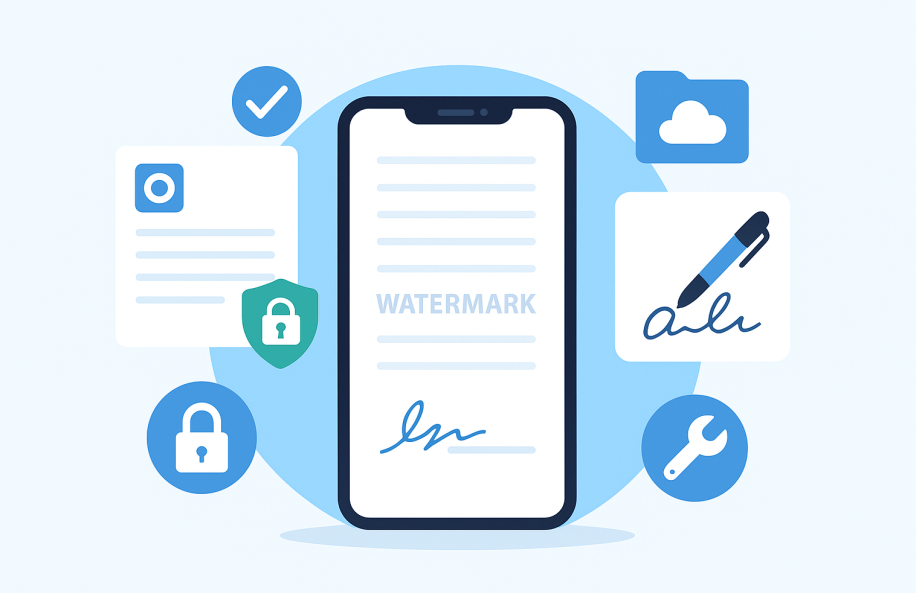
How CamScanner Fits into Today’s Business Workflow
CamScanner isn’t just a scanner—it’s a full digital toolkit. It helps businesses scan, edit, secure, sign, share, and store documents instantly. Whether you’re running a small startup or managing a corporate team, CamScanner integrates seamlessly into daily processes.
Key CamScanner Features Built for Business Users
Watermarking: Protecting Documents from Misuse
Watermarking allows companies to secure their documents visually from duplication, plagiarism, or unauthorized use. When businesses send invoices, contracts, or prototypes, a watermark ensures authenticity and discourages tampering.
Why Watermarks Matter for Brands
Think of a watermark as a digital fingerprint—it shows ownership. For businesses, this is essential because:
- It prevents document theft
- It maintains brand consistency
- It strengthens professionalism
- It adds a layer of credibility
Types of Watermarks in CamScanner
CamScanner allows multiple watermark styles:
- Text-based watermarks
- Logo-based watermarks
- Custom placement and transparency controls
- Repeating pattern watermarks
These give businesses full control over how their documents appear and how well they are protected.
E-Signatures: Fast, Secure, and Legally Reliable
CamScanner’s e-signature tool enables businesses to sign documents digitally without printing, scanning, or mailing anything. In an era where speed is everything, that’s a game-changer.
Benefits of Using E-Signatures in Business
E-signatures help companies:
- Speed up contract approvals
- Close deals faster
- Reduce paper usage and operational costs
- Sign anytime, from any device
- Maintain legal validity across most industries
It’s not only convenient but also environmentally friendly.
How CamScanner Ensures Signature Authenticity
CamScanner uses digital authentication methods that:
- Track signature time and date
- Record device fingerprints
- Prevent unauthorized edits
- Verify signatory identity
In short, CamScanner ensures that every signature is legitimate and secure.
Encryption: Securing Sensitive Corporate Data
Security is everything—especially for industries like finance, legal, government, and corporate sectors. CamScanner uses encryption methods to ensure that no outsider can access your files without permission.
What Types of Encryption CamScanner Uses
CamScanner relies on industry-standard encryption methods, including:
- AES encryption for file protection
- Secure cloud storage protocols
- Password-protected PDFs
- Encrypted sharing links
These layers safeguard confidential information from unwanted breaches.
Why Data Encryption Protects Business Credibility
If your documents aren’t secure, your business isn’t secure. Encryption helps:
- Prevent data leaks
- Ensure compliance with regulations
- Protect client trust
- Maintain reputation in the marketplace
Businesses that take security seriously always gain a competitive edge.
Additional Business-Oriented CamScanner Tools
OCR (Optical Character Recognition) for Text Extraction
OCR converts scanned images into editable text. This is extremely helpful in:
- Editing important documents
- Extracting data from physical paperwork
- Making documents searchable
- Speeding up report creation
Document Sharing and Collaboration Tools
CamScanner supports:
- Secure link sharing
- Team collaboration folders
- Permission-controlled access
- Cross-device synchronization
Perfect for businesses working with remote teams or clients across the globe.
Batch Scanning and Auto-Enhancement Features
For companies handling multiple documents daily, batch scanning is a lifesaver. CamScanner automatically:
- Enhances image quality
- Crops edges
- Adjusts brightness
- Removes shadows
This results in clean, professional-looking scans every time.
Practical Use Cases of CamScanner for Businesses
Use Case 1: Legal and Compliance Teams
Legal departments deal with:
- Contracts
- Agreements
- IDs
- Evidence
CamScanner allows them to secure, sign, and archive documents safely and efficiently.
Use Case 2: Finance and Accounting Departments
From invoices to receipts, accountants can:
- Scan expense reports
- Digitize payment vouchers
- Securely share financial statements
- Keep encrypted copies for audits
Use Case 3: HR and Recruitment Teams
HR teams use CamScanner to manage:
- Job applications
- Employee documents
- NDAs
- Onboarding paperwork
Digital signatures speed up hiring and internal approvals.
Use Case 4: Real Estate Agencies
Agents frequently need:
- Property documents
- Leasing contracts
- Client agreements
CamScanner allows instant signing and sharing, even when they’re in the field.
Use Case 5: Small Businesses and Startups
Entrepreneurs love CamScanner because it:
- Reduces paperwork
- Cuts printing costs
- Simplifies record keeping
- Improves workflow efficiency
Advantages of Using CamScanner in a Corporate Setting
Improved Efficiency and Processing Speed
Scanning and organizing documents takes seconds, not hours. Teams get more done in less time.
Reduced Operational Costs
Businesses save money on:
- Printers
- Ink
- Paper
- Files and storage cabinets
CamScanner is a cost-effective solution.
Enhanced Data Security and Access Control
With encryption and secure access tools, businesses can maintain a professional, compliant digital environment.
Important Tips to Maximize CamScanner for Business
Organizing Files with Tags and Folders
A well-structured digital library helps teams find documents in seconds.
Backing Up Documents Regularly
CamScanner’s cloud backup ensures nothing gets lost—even if a device is damaged or replaced.
Using Team Collaboration Options
Sharing documents securely increases team productivity and keeps everyone aligned.
Conclusion
CamScanner has become more than just a mobile scanning app—it’s an essential business tool. With powerful features like watermarking, e-signatures, and encryption, it offers professional-grade document security and workflow efficiency. Whether you’re a small startup or a large enterprise, CamScanner helps you manage documents smarter, faster, and more securely. As businesses push toward digital transformation, CamScanner stands as a reliable solution that empowers teams to work effortlessly in a mobile-driven world.
FAQs
1. Is CamScanner secure for business use?
Yes. With encryption, password protection, and secure cloud systems, CamScanner is built for business-grade security.
2. Can e-signatures in CamScanner be used legally?
Absolutely. CamScanner’s e-signatures follow digital signature standards accepted in most industries.
3. What types of files can CamScanner export?
PDF, JPEG, TXT (via OCR), and other business-friendly formats.
4. Does CamScanner support team collaboration?
Yes. Businesses can share folders, manage permissions, and collaborate in real time.
5. Is CamScanner useful for remote teams?
Definitely. It enables mobile scanning, secure sharing, and digital signing from anywhere.