
Overview of CamScanner
CamScanner has become one of the most widely used mobile scanning tools, allowing users to convert physical documents into clean digital copies instantly. From receipts and handwritten notes to full textbooks, it offers a quick and convenient way to digitize documents using a smartphone camera.
Understanding the Free Version
The free version delivers impressive functionality, including scanning, basic edits, and exporting to PDF or JPEG. However, ads, limited storage, and default watermarks can restrict productivity—especially for users who scan frequently or professionally.
Exploring CamScanner’s Subscription Options
CamScanner provides paid plans that enhance document quality, unlock advanced features, and remove common limitations. These plans are designed for both individual users and businesses needing team-level collaboration.
What the Premium Plan Offers
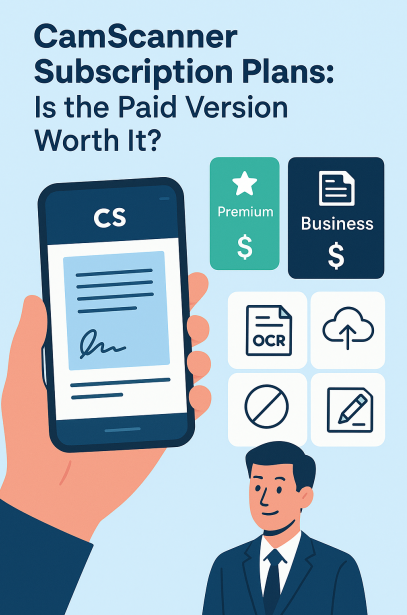
The Premium Plan is ideal for individuals who want higher-resolution scans and more advanced editing tools. It includes unlimited OCR, watermark removal, and improved export options—making it suitable for students, office workers, and researchers.
What the Business Plan Offers
The Business Plan is tailored for organizations needing team workflows, shared storage, and centralized document management. It enables teams to comment, collaborate, assign tasks, and manage documents together, improving productivity across departments.
Pricing Breakdown
CamScanner’s pricing varies by region, but generally:
- Premium Plan: around $4.99/month
- Business Plan: $6.99–$8.99 per user/month
Annual subscriptions typically cost less overall, making them more cost-effective for long-term users.
Exclusive Features in the Paid Plans
CamScanner’s paid subscriptions unlock a range of premium benefits built for efficiency, quality, and convenience.
Unlimited OCR for Editable Text
OCR (Optical Character Recognition) lets users turn scanned images into actual editable text. Paid users get unlimited OCR conversions—ideal for students, writers, researchers, and professionals handling large documents.
Expanded Cloud Storage and Backup
Premium and Business users enjoy expanded cloud storage, secure backups, and multi-device syncing. This ensures documents are accessible anywhere and protected from accidental loss.
Ad-Free Scanning Experience
Paid plans remove all ads, resulting in a faster, cleaner interface. For users who scan daily, this makes a significant difference in workflow speed and focus.
Advanced Editing and Productivity Tools
Paid users gain access to batch scanning, PDF merging, intelligent filters, annotations, custom watermarks, and high-resolution exports—perfect for creating polished, professional documents.
Team Collaboration Benefits
The Business Plan includes shared folders, permission settings, document chat, and collaborative editing, making it a strong option for teams managing ongoing projects.
Comparing Free and Paid Versions
There’s a noticeable difference between the basic and premium versions of CamScanner—particularly in quality, speed, and storage flexibility.
Cloud Storage Differences
Free users receive limited cloud capacity. Paid plans significantly increase storage, ensuring frequent scanners never run out of space.
Quality and Exporting Differences
Premium and Business users enjoy sharper scans and additional export formats, including Word and high-resolution PDFs. This makes the paid versions more suitable for professional or academic submissions.
Enhanced Security in Paid Plans
Paid plans offer encrypted storage, secure sharing options, and better access control—crucial features for businesses or individuals working with sensitive files.
Who Should Upgrade to the Paid Version?
Not everyone needs a subscription, but certain users benefit greatly from upgrading.
Ideal for Small Businesses
Small businesses or freelancers who handle contracts, receipts, and project documents will find the Business Plan especially useful due to its team features and higher security.
Suitable for Students and Professionals
Students, researchers, accountants, and office workers who regularly convert documents to editable text will appreciate the unlimited OCR and high-quality scans.
Best for Daily Scanners
Anyone scanning frequently will save time by eliminating ads, watermarks, and storage limitations—making the paid plan a practical investment.
Tips to Get Maximum Value from CamScanner
A subscription becomes even more worthwhile when paired with efficient scanning habits.
Use Proper Scanning Techniques
Good lighting, stable positioning, and CamScanner’s auto-enhance features ensure your scans look sharp and professional.
Keep Documents Well-Organized
Using folders, tags, and date-based labeling helps keep documents easy to find and boosts long-term productivity.
Leverage OCR to Save Time
Turning scanned pages into editable text reduces manual typing and makes note-taking, research, and document editing far more efficient.
Pros of the Paid Subscription
- Unlimited OCR conversions
- Higher-quality scans and exports
- Ad-free interface
- Larger cloud storage
- Advanced editing and team collaboration
Cons of the Paid Subscription
- Not cost-effective for casual users
- Some features overlap with competing apps
- Cloud syncing requires an internet connection
Final Verdict
CamScanner’s Premium and Business Plans offer strong value for users who frequently scan, edit, or manage documents. The enhanced security, OCR capabilities, and advanced features make the paid versions worth considering—especially for professionals, students, and small businesses.
However, casual users who only scan occasionally may find the free version perfectly adequate.
Frequently Asked Questions
Is the free version enough for occasional scanning?
Yes. For light use, the free version covers basic scanning, editing, and exporting—though it includes ads and watermarks.
Can I cancel my subscription anytime?
Absolutely. You can cancel through Google Play, the App Store, or your account settings whenever you choose.
Does the Business Plan support team collaboration?
Yes. It includes shared workspaces, comments, permissions, and cloud storage for collaborative workflows.
Are documents more secure in the paid plans?
Paid plans include encrypted storage and advanced access controls, offering stronger protection for sensitive files.
Is OCR available in the free version?
Yes, but only in limited form. Premium and Business users get unlimited OCR with more accurate text recognition.