
Introduction
In today’s digital world, the need for clean, clear, and professional document scans is greater than ever. From students to professionals, smartphones are now a primary tool for capturing everything—from receipts to contracts. CamScanner’s AI-Scan Engine transforms ordinary scans into high-quality, print-ready documents with just a few taps.
This article explores how AI-powered scanning improves clarity, removes noise, detects edges accurately, and ensures every document looks polished and professional.
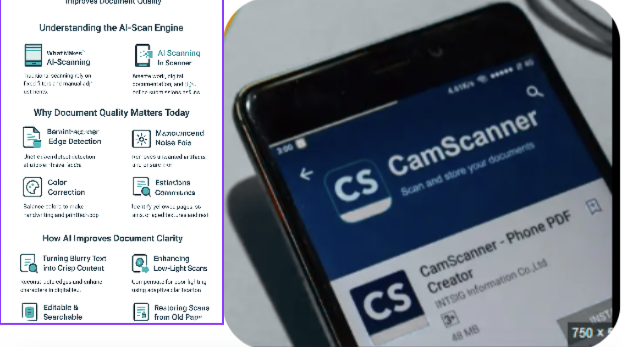
Understanding the AI-Scan Engine
What Makes AI-Scanning Different?
Traditional scanning apps rely on fixed filters and manual adjustments. AI scanning, however, analyzes each pixel, distinguishes between text, background, shadows, or noise, and optimizes the scan in real time, producing professional results automatically.
Why Document Quality Matters Today
In the era of remote work, online submissions, and digital documentation, poor-quality scans can cost time, credibility, and sometimes even opportunities. High-quality document scans are essential for productivity and professionalism.
Key Features of CamScanner’s AI-Scan Engine
Auto-Enhancement Technology
CamScanner’s automatic enhancement feature instantly improves document quality without manual editing.
Color Correction
The AI balances colors, making handwritten and printed text stand out while removing dull or faded tones.
Brightness & Contrast Adjustment
CamScanner’s AI adjusts brightness and contrast to make documents readable even under poor lighting conditions.
Intelligent Edge Detection
The AI identifies page boundaries with pixel-level accuracy, ensuring that no text is accidentally cropped or lost.
Advanced Noise Reduction
Grainy textures, camera noise, and other unwanted artifacts are automatically removed, keeping text sharp and clear.
Shadow Removal Capabilities
Shadows from fingers, phones, or room lighting are minimized, producing a clean, professional-looking scan.
Auto-Crop & Alignment
The AI automatically detects the correct orientation, straightens skewed images, and crops unnecessary background for a polished appearance.
How AI Improves Document Clarity
Turning Blurry Text into Crisp Content
Even slightly shaky or blurred scans are enhanced as AI reconstructs edges and sharpens characters, making text clear and readable.
Enhancing Low-Light Scans
CamScanner’s AI compensates for low-light conditions using adaptive adjustments, ensuring the document remains legible.
Restoring Scans from Old Papers
AI can identify yellowed pages, stains, or aged textures, restoring them to a clean, modern appearance.
AI-Powered OCR: The Heart of Digital Transformation
Accurate Text Extraction
Optical Character Recognition (OCR) converts printed or handwritten text into editable digital content. CamScanner’s AI-powered OCR ensures higher accuracy and reliability.
Multi-Language Recognition
AI supports dozens of languages, allowing global documents to be scanned and digitized seamlessly.
Editable & Searchable Documents
OCR enables users to edit text, search within documents, copy content, and export files to Word, PDF, or Excel formats.
Real-World Use Cases of AI-Enhanced Scanning
Students
Scanning notes, assignments, and textbook pages becomes fast and efficient.
Business Professionals
High-quality scans of invoices, receipts, and contracts enhance professionalism and presentation.
Government & Legal Work
Clear, readable scans are critical for legal or official documents.
Remote Work & Freelancers
Freelancers can quickly send polished proposals, IDs, contracts, and forms without quality issues.
Benefits of Using CamScanner’s AI-Scan Engine
Saves Time & Effort
The AI automates the scanning process, eliminating manual editing.
Reduces Manual Editing
Documents are automatically cropped, enhanced, and corrected in seconds.
Ensures Professional-Grade Results
Scans appear as if processed by a professional scanner, improving readability and presentation.
Comparing Traditional Scanning vs AI-Scanning
Speed Comparison
AI scanning is nearly instantaneous compared to traditional methods that require manual adjustments.
Quality Comparison
AI ensures clarity and removes shadows, while traditional scanning often produces uneven or blurred results.
Usability Comparison
AI scanning is intuitive and requires minimal technical skills, making it accessible to all users.
Future of AI in Document Scanning
Smarter Document Recognition
Future AI will automatically identify document types such as receipts, IDs, contracts, and forms.
Multi-Document Automation
Batch scanning and multi-file enhancement will become even more intelligent.
Predictive Correction Systems
AI may soon detect scanning errors before they happen, ensuring flawless results every time.
Conclusion
CamScanner’s AI-Scan Engine represents the future of digital documentation. With advanced features to enhance clarity, correct lighting, remove noise, and extract text accurately, it has transformed how we scan and manage documents. Whether you’re a student, professional, or casual user, AI-powered scanning ensures your documents always look sharp, clean, and professional.
FAQs
- Does CamScanner’s AI improve handwritten documents?
Yes, AI enhances handwritten notes by adjusting contrast and sharpening text. - Can AI scanning remove background textures?
Yes, CamScanner’s AI smoothens backgrounds for a cleaner look. - Does the AI-Scan Engine work in low light?
Yes, it automatically adjusts brightness levels for optimal clarity. - Is OCR included in the AI-Scan Engine?
Yes, OCR is a core feature of CamScanner’s AI-powered engine. - Does AI scanning work for colored documents?
Yes, AI detects and enhances colors without affecting text quality.