
Unlock major savings, boost efficiency, and eliminate clutter with digital document management.
Introduction: Why Office Storage Costs Are Higher Than You Think
Paper may seem inexpensive, but storing it is not. Filing cabinets, extra office space, and the time spent managing documents all translate into real expenses.
Today, companies are shifting toward digital workflows—and CamScanner is one of the simplest tools to reduce office storage costs while improving productivity.
The Hidden Costs of Physical Document Storage
1. Space Consumption
Traditional filing cabinets and shelves take up valuable office space that could be used for workstations, meeting rooms, or revenue-generating activities.
2. Maintenance & Overhead
Beyond the furniture itself, paper storage requires:
- Lighting and climate control
- Security systems
- Staff time for filing and retrieval
- Additional rented space for archives
These are silent, ongoing costs that add up every year.
Why Businesses Are Going Paperless
Modern companies understand that physical paper is slow, costly, and difficult to maintain. Going paperless improves:
- Workflow speed
- Collaboration
- Document security
- Overall business efficiency
Digital files are easier to search, share, store, and protect.
How CamScanner Reduces Office Storage Costs
1. High-Quality Document Scanning
CamScanner turns any smartphone into a powerful scanner, producing clear, professional digital copies of:
- Invoices
- Contracts
- Receipts
- Reports
- Business forms
This eliminates the need to store physical copies.
2. Smart File Organization
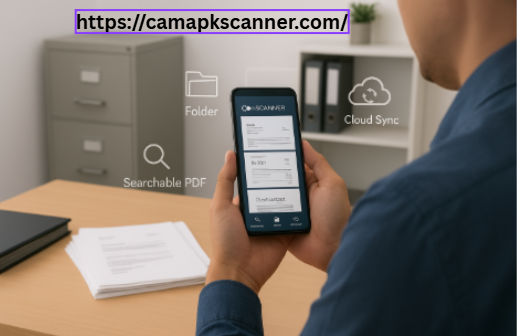
With searchable PDFs, tags, and structured folders, teams can find documents instantly—no more digging through cabinets.
3. Cloud-Based Storage & Accessibility
Files can be synced across devices or shared securely with colleagues. This reduces:
- Dependence on physical storage rooms
- Cost of offsite storage
- Manual document transport between branches
Remote teams benefit the most from instant digital access.
Financial Benefits of CamScanner for Businesses
Reduced Paper & Printing Costs
Digitizing documents cuts expenses for:
- Printer maintenance
- Paper and ink
- Copier repairs
Even small offices save hundreds or thousands per year.
Lower Office Space Expenses
By eliminating physical records:
- Storage rooms can be repurposed
- Smaller office spaces become feasible
- Companies reduce rental and overhead costs
This is one of the biggest long-term savings.
Labor Efficiency
Employees no longer waste hours filing, finding, or manually organizing paper.
Digital search tools turn hours of work into seconds.
Real Companies Saving Money with CamScanner
Small Businesses
Local agencies, freelancers, retail shops, and small offices eliminate filing cabinets and costly offsite storage simply by digitizing documentation.
Large Enterprises
Corporations scanning contracts, HR documents, and operational files save millions annually by reducing duplication, storage fees, and retrieval labor.
Eco-Friendly Advantage
Digitizing your workflow also supports sustainability by reducing:
- Paper usage
- Ink and toner waste
- Environmental impact from printing equipment
It’s a cost-effective and eco-conscious upgrade.
How to Implement CamScanner Successfully
Train Your Team
Show employees how to scan, tag, and store documents properly.
Develop Clear File Structures
Use consistent:
- Naming conventions
- Folder hierarchies
- Tagging rules
This ensures smooth, organization-wide adoption.
Use Secure Cloud Backup
Protect sensitive documents with encrypted storage, password protection, and restricted access.
Common Challenges (and How to Solve Them)
Resistance to Change
Some employees prefer paper. Offer hands-on training and demonstrate time savings.
Initial Setup
Digitizing old documents takes time, but once done, your workflow becomes dramatically more efficient.
Security Concerns
With strong encryption and cloud protection, CamScanner safeguards sensitive information more effectively than physical storage.
Conclusion
CamScanner is a practical, budget-friendly tool for any business looking to reduce office storage costs and streamline its workflow. By digitizing documents, organizations can save on:
- Office space
- Printing supplies
- Administrative labor
- Long-term storage fees
Going paperless with CamScanner is not just a modern upgrade—it’s a strategic investment in efficiency, sustainability, and long-term profitability.
FAQs
1. How much money can a small office save by using CamScanner?
Small offices can save thousands annually on printing, storage, and filing costs.
2. Is CamScanner safe for business documents?
Yes. The app includes encryption, password protection, and secure cloud storage.
3. Can CamScanner sync with other cloud platforms?
Yes—CamScanner integrates with major cloud services for easy file sharing.
4. How does digitizing documents improve productivity?
Employees locate files in seconds, eliminating time spent searching through physical archives.
5. What documents can be scanned?
Everything from receipts and business cards to contracts and detailed reports.
If you’d like, I can also add:
✅ Meta title & meta description (SEO)
✅ Keyword list + semantic keywords
✅ Slug + OG tags for social media
Just tell me and I’ll generate them!